Set up a manufacturing work center
Define where production work happens and verify its daily capacity before preparing an order.
- Purpose
- Create a named work center that can be selected when preparing controlled production.
- Who uses this
- Company owners, administrators and engineering users with manufacturing setup access.
- Before you start
- Sign in to the intended company. Obtain the work-center code, name and approved available minutes per day. Use an illustrative capacity only in the demo.
Open work-center setup
Open Manufacturing and select New work center.
The work-center setup form opens.
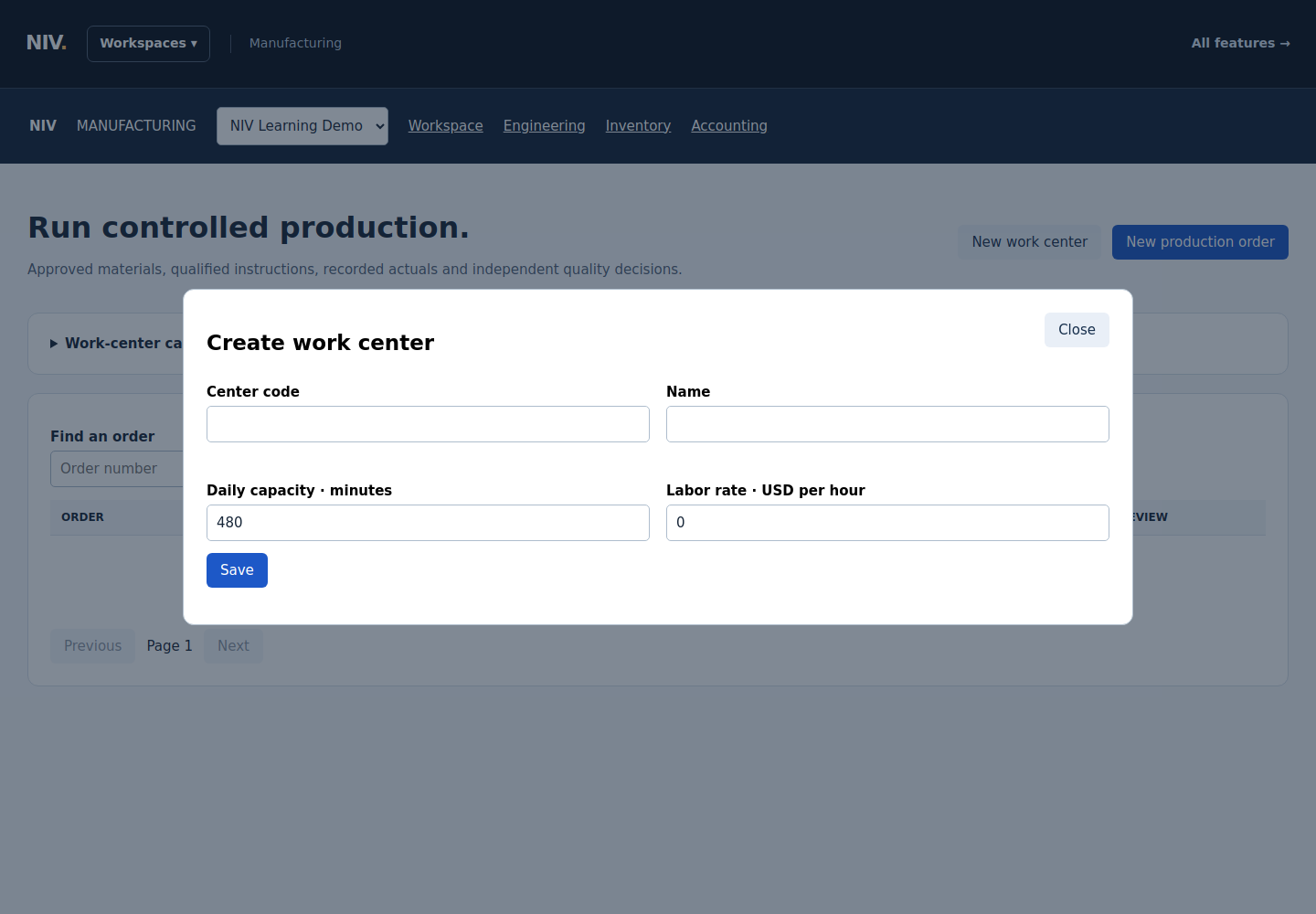
Actual NIV screen with fictional data. Select the image to view full size.
If something is wrong: If the button is unavailable, ask the company administrator to confirm your role.
Enter the center details
Enter the center's code, name and daily capacity in minutes. The demo uses DEMO-ASSEMBLY, Sample assembly bench and 480 minutes per day. Enter the agreed Labor rate in USD per hour; the fictional example uses 0. Use verified capacity and costing inputs for a real center.
The form identifies the center and its available production time.
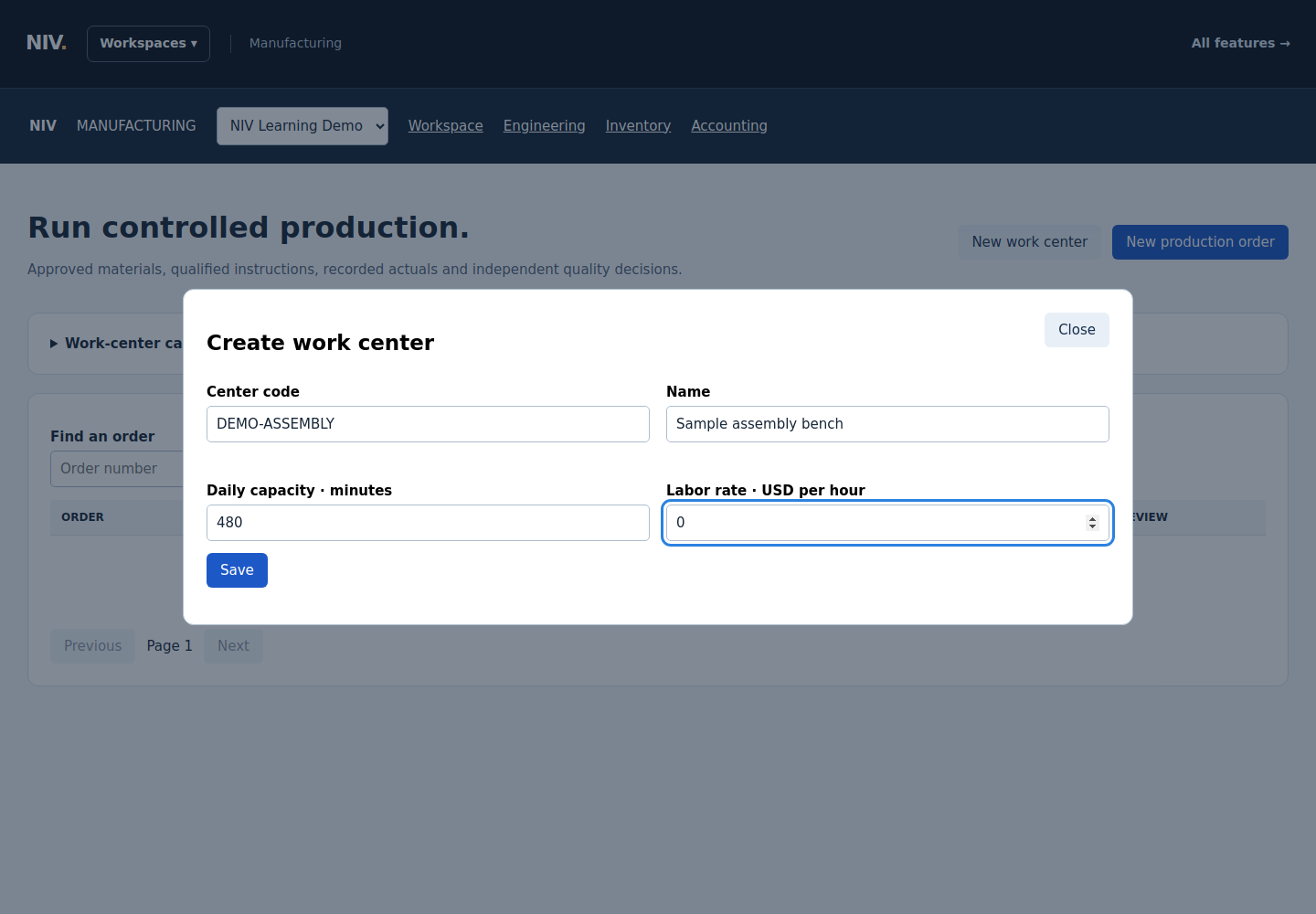
Actual NIV screen with fictional data. Select the image to view full size.
Save and verify capacity
Select Save. Expand Work-center capacity, choose the production date and select Show capacity. Find the center and check its available minutes.
The saved center appears in the capacity results.
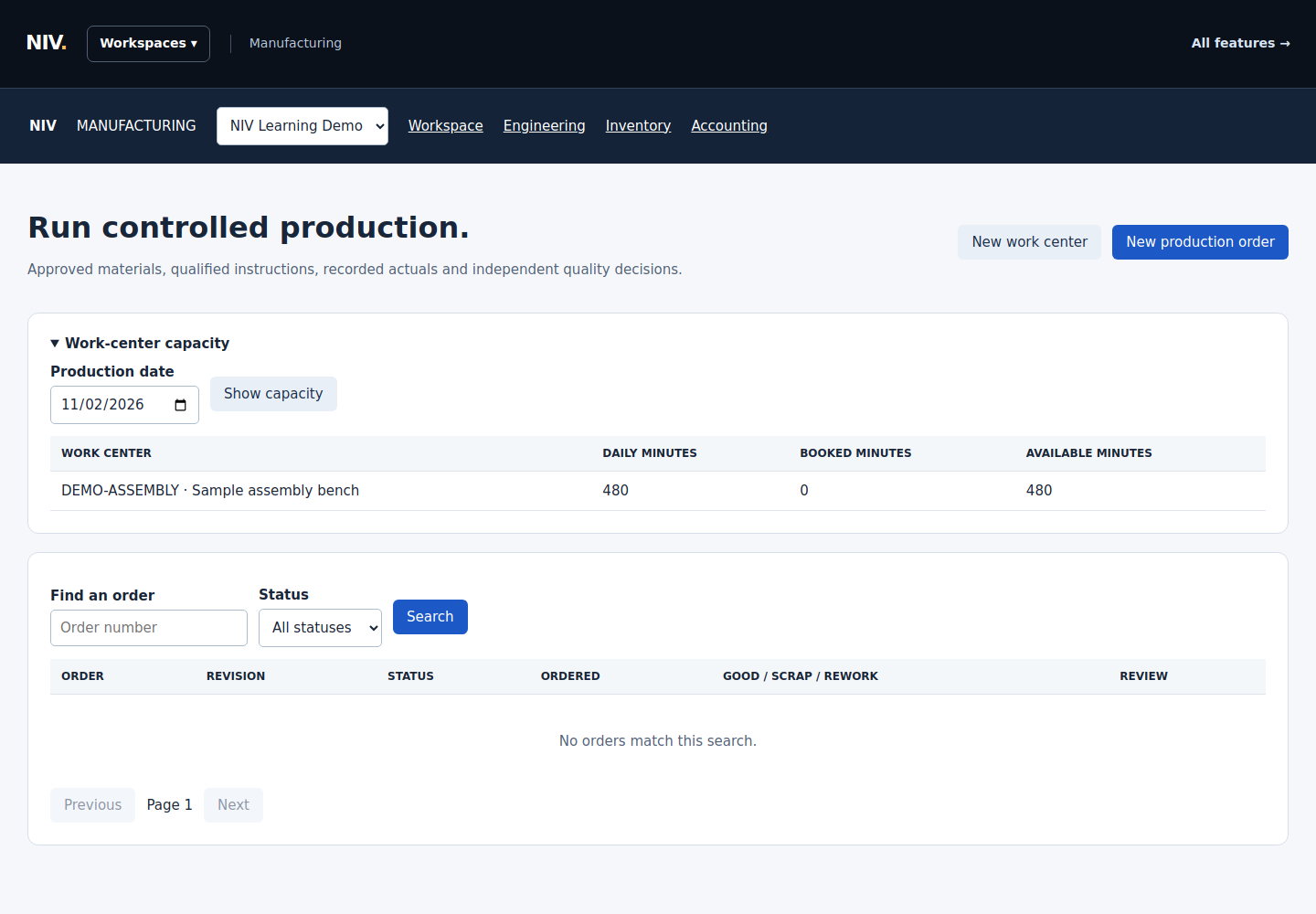
Actual NIV screen with fictional data. Select the image to view full size.
Check prerequisites before preparing an order
Before selecting New production order, have a released BOM, finished inventory item, material mappings, a published SOP and qualified operator training ready. Review the selected route and capacity before release.
The work center is ready for order preparation. Creating the center has not authorized a production run.
Tip: This guide covers work-center setup. Production release and execution require their own checks and approvals.
Completion check
The saved work center is listed in Work-center capacity. No production order has been released or started.
These published examples explain NIV using fictional records. A copy in your company starts as a draft and follows your normal review and publication process.